RFIs, daily reports, photos — captured on the jobsite, into the project file.
The Field Superintendent runs the jobsite. RFIs raised on questions the drawings don't answer; daily reports captured at end of shift; deliveries and inspections tracked as they happen; photos taken to back the daily and the dispute. Most superintendents do this on a phone with photos in one app, daily reports in another, RFIs in a portal that loads slowly. Field-to-office latency is the limiting factor.
Talk to an AEC solutions engineer · Read the field-workforce mobile-first use case
"I take the photos, I write the daily, I file the RFI — 3 apps, 2 re-entries, one frustrated office."
"I take the photos, I write the daily report, I file the RFI — 3 apps, 2 re-entries, one frustrated office team. The drawings I am asking about are last week's anyway." — Field Superintendent
What TeamSync gives the field superintendent.
1. Mobile capture into the project file directly.
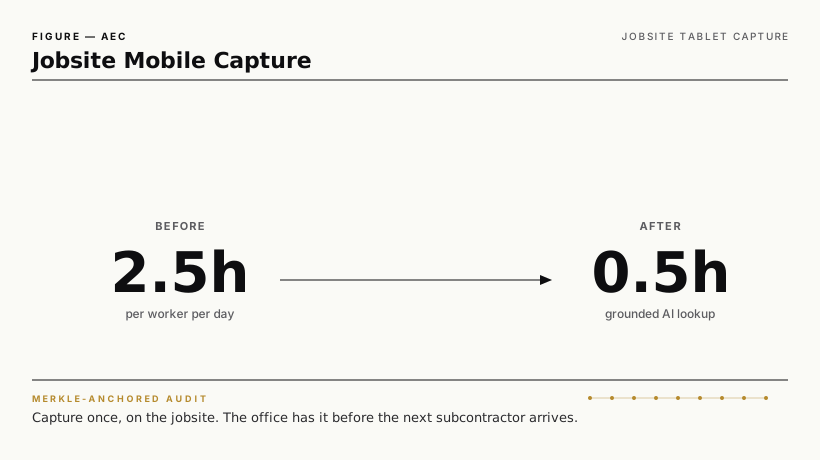
Photos, voice notes, daily-report fields, RFI text — captured on the superintendent's phone or tablet, tagged with project + location + time + crew, posted to the Intelligent Repository project file before the next subcontractor arrives.
2. RFI submission with current-revision drawing reference.
When the superintendent files an RFI from the field, the current released drawing version is referenced automatically. Office team gets the question + the exact drawing reference, not a hunt.
3. Daily report from a template.
Document Templates generate the daily report scaffold with project + date + crew + weather pre-populated. The superintendent fills the narrative; numbers, deliveries, inspections, photos auto-link.
4. AI-assisted lookup on the jobsite.
DocuTalk answers "show me the spec for the rebar in this footing" — the superintendent asks the question; the answer arrives with the drawing and spec citation.
5. Audit ledger anchors every field-event.
Photo captures, RFI submissions, daily-report posts, delivery confirmations — anchored in the Merkle audit ledger. When the schedule dispute hits, the day-by-day record is cryptographic.
What changes for the field superintendent.
| Concern | What changes |
|---|---|
| Re-entry between apps | Eliminated |
| Field-to-office latency | Real-time |
| RFI accuracy (drawing reference) | Always current |
| Daily-report effort | Templated |
| Schedule-dispute defensibility | Day-by-day cryptographic record |
Compliance frameworks served.
| Framework | Coverage |
|---|---|
| AIA / ConsensusDocs / FIDIC | Daily-report and RFI discipline |
| OSHA recordkeeping | Worker-safety capture |
| State / municipal jobsite reqs | Inspections + deliveries |
| SOC 2, ISO 27001 | Cross-vertical |
How TeamSync compares for jobsite mobile capture.
| Capability | TeamSync | Procore | Autodesk Build / PlanGrid | Fieldwire | Raken |
|---|---|---|---|---|---|
| Mobile field capture (photos, daily, RFI) | ✅ | ✅ Procore | ✅ Autodesk | ✅ Fieldwire | ✅ Raken |
| Current-revision drawing reference on RFI | ✅ | ✅ | ✅ | ✅ | Limited |
| AI-assisted spec / drawing lookup | ✅ DocuTalk | Procore Copilot | Autodesk Copilot | Limited | Limited |
| Cryptographic audit on field events | ✅ Merkle | Procore log | Autodesk log | Standard log | Standard log |
| Cross-platform records consolidation | ✅ | Procore-resident | Autodesk-resident | Fieldwire-resident | Raken-resident |
Important: TeamSync coexists with Procore, Autodesk, Fieldwire, and Raken — those are the dominant jobsite mobile tools. entry point for TeamSync: superintendents on owners' projects that span multiple GCs / multiple toolsets, where the records-of-record + audit-anchor layer above the field-tool needs to be consistent.
CTAs.
| If you are… | Do this |
|---|---|
| Field Superintendent | Talk to a solutions engineer |
| Project Controls Director | Read the project controls director page |
| Project Closeout Manager | Read the project closeout page |
Related capabilities
- Intelligent Repository, Metadata Extraction, OCR & ICR, Document Templates, DocuTalk, Tamper-evident audit ledger